
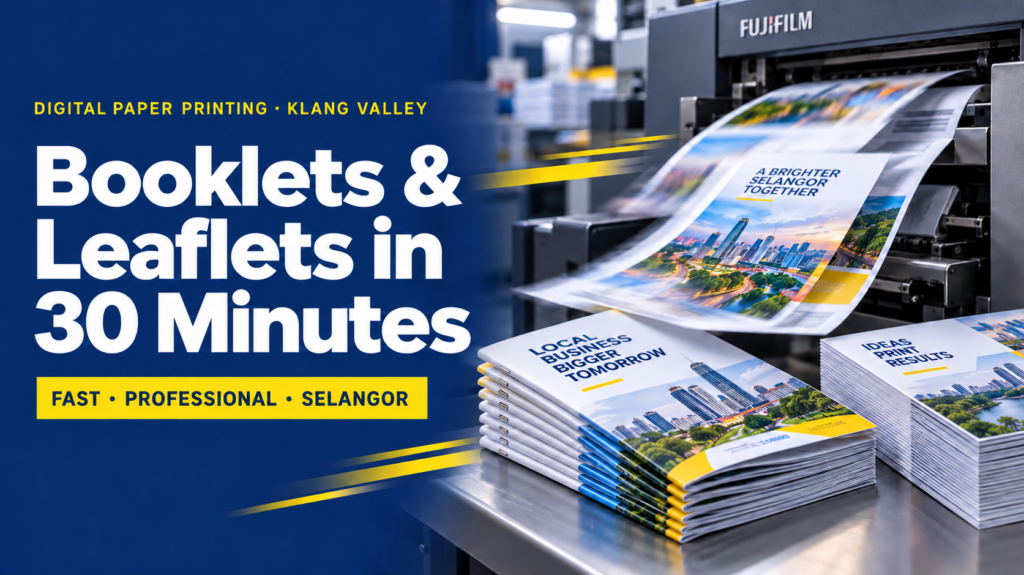
Digital paper printing · Klang Valley
Booklets and Leaflets in 30 Minutes: What Instant Digital Printing in Selangor Really Involves
The fastest booklet we have ever finished took 18 minutes from file to stapled copies. The slowest "urgent" job took two days. The press was identical both times — the artwork was not.
Read time: 9 minutes · Saves you a reprintThat gap between 18 minutes and two days is the whole story of digital paper printing. The machine is rarely the bottleneck any more. The file is.
So this guide is written from the counter side of the shop. It covers what a 30-minute turnaround actually buys you, how to pick paper without guessing, the booklet and fold rules that quietly decide your deadline, and the ten-minute file check that keeps a same-day job same-day.
Why 30 Minutes Is Possible Now (And Wasn't in 2010)
Traditional offset printing needs plates. Someone has to output them, mount them, bring the press up to colour, and wait for ink to dry before anything can be folded. That make-ready is why offset quotes come with a two to five day schedule.
Digital presses skip every one of those steps. The file goes to a RIP, toner is fused onto the sheet by heat, and the sheet is dry the moment it lands in the tray. No plates, no drying time, no minimum sheet count to reach stable colour.
The three machines that make instant work possible
- A production digital press running 70 to 100 A4 pages a minute, duplex, with auto colour calibration between jobs.
- An inline booklet maker that folds, staples on the spine and face-trims in one pass — this is the part most people don't know exists.
- A programmable guillotine and folder for leaflets, where fold positions are recalled from a saved setting rather than measured by hand.
Actionable takeaway: when you call a shop, don't ask "can you print fast?" Ask "do you have an inline booklet maker and is my paper in stock today?" Those two answers predict your turnaround better than any promise on a banner.
What the 30 Minutes Actually Covers
Here is the honest breakdown for a typical rush job: 50 copies of a 20-page A5 booklet, printed both sides, saddle stitched.
| Minutes | What happens | Where it stalls |
|---|---|---|
| 0–3 | Preflight: colour space, bleed, resolution, page count, fonts | RGB images, missing bleed, odd page count |
| 3–6 | Imposition: pages reordered onto press sheets | Files supplied as spreads instead of single pages |
| 6–9 | Proof: one printed copy checked against your file | Nobody available to approve it |
| 9–22 | Print run on the digital press | Paper not in stock, special GSM ordered in |
| 22–30 | Fold, stitch, trim, pack | Perfect binding or die-cut finishing needed |
The clock starts at preflight, not at "hi"
If your artwork needs fixing, that time is added before minute zero. A file that fails preflight typically adds 20 to 90 minutes, and if the designer has gone home it adds a day. This single fact explains almost every missed print deadline in the Klang Valley.
What cannot be done in 30 minutes
- Perfect binding (glued spine) needs curing time — allow 2 to 4 hours minimum.
- Spot UV, hot stamping, embossing — these go to a separate machine and often a separate vendor.
- Die-cutting anything non-standard, unless the die already exists in the shop.
- Special stock that isn't sitting on the shelf. Textured, coloured or 350gsm+ boards are usually next-day.
- Pantone-exact brand colour. Digital toner approximates spot colours; if your brand red must be exact, you want offset or an agreed proof.
Digital vs Offset: The Real Breakeven
Most guides say "digital for short runs" and stop there. Here is the number range that actually matters in the Malaysian market.
| Quantity | Better method | Why |
|---|---|---|
| 1–100 | Digital, clearly | Offset plate cost alone exceeds the whole digital job |
| 100–500 | Digital | Unit price still lower, plus same-day possible |
| 500–1,000 | Roughly even | Decide on deadline and reprint likelihood, not price |
| 1,000+ | Offset | Plate cost spreads out; unit price drops sharply |
Three reasons to choose digital even at high volume
- Your content will change. Price lists, event dates and staff names go stale. Printing 300 now and 300 later beats binning 800.
- You need variable data. Numbered vouchers, personalised certificates, branch-specific addresses — digital does this in one pass.
- You're testing. Print 200 of two different leaflet designs, see which one pulls, then commit to offset for the winner.
That last point is the one businesses underuse. Digital printing is cheap enough to be a research tool, not just a production method.
Choosing Paper Weight Without Guessing
GSM means grams per square metre. Higher number, heavier and usually thicker sheet. The mistake is treating it as a quality score — it's a fitness-for-purpose measure.
| Stock | Feels like | Use it for |
|---|---|---|
| 80–100gsm woodfree | Ordinary copier paper | Internal manuals, forms, training notes, drafts |
| 128gsm art paper | Magazine page | Budget leaflets, booklet inner pages, inserts |
| 157gsm art paper | Substantial flyer | The sweet spot for handouts — feels paid-for, folds cleanly |
| 210gsm art card | Light postcard | Counter leaflets, menus, single-fold brochures |
| 260–300gsm art card | Name card stock | Booklet covers, premium leaflets, tags |
The pairing rule for booklets
Cover heavier than inner, always. A 260gsm cover with 128gsm inner pages is the standard combination, and it's standard because it works: the cover holds its shape, the inners stay light enough to fold and staple without cracking.
Going the other way — same weight throughout on thin stock — makes a 24-page booklet feel like a stack of loose flyers. It's the cheapest-looking saving in print.
Coated, uncoated, laminated
- Art (coated) paper gives sharper images and deeper colour. Ink sits on the surface.
- Woodfree (uncoated) paper absorbs ink, so colours look softer. Choose it whenever people must write on the page — registration forms, worksheets, order sheets.
- Matte lamination resists fingerprints and feels premium. It is also the only sensible choice for dark-coloured covers.
- Gloss lamination makes photos pop and shrugs off humidity — worth it for outdoor events and anything handled in a food setting.
Anticipating your next question: "Will lamination fit in the 30 minutes?" Usually yes for covers only, adding roughly 5 to 10 minutes on short runs. Laminating every inner page does not fit, and rarely improves anything.
Booklets: The Rules That Quietly Decide Your Deadline
Page count must be a multiple of four
A saddle-stitched booklet is made from sheets folded in half. One sheet equals four printed pages. So 8, 12, 16, 20 and 24 pages are all fine, while 6, 10, 14 and 18 are physically impossible.
When content lands on an awkward number, don't cut a page you need. Add a notes page, a contact page, a QR code page, or leave a clean back cover. Fixing this yourself before you send the file removes one of the commonest same-day delays.
Know your binding ceiling
| Pages | Binding | Turnaround reality |
|---|---|---|
| 8–40 | Saddle stitch | Ideal for 30-minute work |
| 40–64 | Saddle stitch, thick stock struggles | Possible same-hour, switch inner to 100gsm |
| 64–200 | Perfect binding (glued spine) | Half-day minimum, glue must cure |
| Any, needs to lie flat | Wire-O or comb binding | Manual finishing — allow extra time per copy |
Creep: the reason your page numbers drift
Fold forty sheets together and the innermost pages push further out than the outermost ones. When the booklet is face-trimmed, the inner pages lose more edge. Designers call the compensation "creep" or "shingling".
Your printer's imposition software handles this automatically — but only if you keep important content 5mm away from every trim edge. Page numbers sitting 2mm from the edge will get shaved on the inner spreads, and nobody notices until the whole run is stapled.
Spine width, if you're going perfect bound
A quick working estimate: pages ÷ 2 × paper thickness. For 128gsm art paper, about 0.11mm per sheet. So a 100-page booklet is roughly 50 × 0.11 = 5.5mm of spine. Design your spine artwork to the printer's confirmed figure, never your own estimate.
Leaflets: Fold Types and the 2mm Secret
Fold choice isn't decoration. It controls the reading sequence, so it should follow your message, not the other way round.
| Fold | Panels | Best for |
|---|---|---|
| Half fold | 4 | Menus, event programmes, simple before/after stories |
| Tri-fold (roll) | 6 | Service lists, FAQs, the standard corporate leaflet |
| Z-fold | 6 | Step-by-step processes and timelines — it opens like a concertina |
| Gate fold | 6 | A reveal: two flaps open onto one big image or offer |
| Double parallel | 8 | Product ranges and price tables needing more room |
Here's the part most designers get wrong
On a roll-fold leaflet, the three panels are not equal widths. The panel that tucks inside must be 2 to 3mm narrower than the others, otherwise it buckles against the fold and the leaflet won't close flat.
For an A4 tri-fold (297mm wide), that means panels of roughly 99mm, 99mm and 96mm — with the 96mm panel being the one that folds in first. Set your template this way and your leaflet will sit flat in a stack instead of springing open on the exhibition table.
Quick sanity check before you send
Print your leaflet on a home printer at 100%, fold it by hand, and read it in order. Thirty seconds of paper folding catches panel-order mistakes that no on-screen preview will show you.
The Ten-Minute File Check That Saves You a Day
Run this before you send anything. Every item on it corresponds to a job we have watched miss a deadline.
- CMYK, not RGB. Screen blues and neon greens are outside the printable range; convert and see the shift on your terms, not on the press.
- 3mm bleed on every edge for any colour or image that runs to the trim, plus a 5mm safety margin for text.
- 300dpi images at final size. A 300dpi logo enlarged to twice its size is now 150dpi.
- Fonts embedded or outlined. Outlining is safest, but keep an editable copy for future revisions.
- Single pages in reading order — pages 1, 2, 3, 4. Never supply reader's spreads; imposition software needs to do that itself.
- Rich black for large solid areas: C60 M40 Y40 K100. Flat 100K alone prints as washed-out charcoal on big blocks.
- Plain 100K for small text. Rich black on 8pt type causes registration fringing and looks blurry.
- One flattened PDF, exported as PDF/X-1a or PDF/X-4. Not a Canva share link, not a Word file, not a folder of JPEGs.
- Page count checked against the multiple-of-four rule for booklets.
- Final content approved by whoever must approve it — the boss, the client, the compliance officer. Approve the words before the press runs, not after.
Actionable takeaway: save this as a template file with bleed and margins already set. Every future rush job then starts from a correct base, and your 30-minute promise becomes achievable rather than aspirational.
Five Real Selangor Rush Jobs, and What Made or Broke Them
1. The property launch in Shah Alam
200 tri-fold leaflets needed by 2pm for a 3pm preview. The file arrived at 11am with equal panels and no bleed. Fixing panel widths took 25 minutes; the print itself took 12. Lesson: the fold spec, not the press, was the deadline.
2. The school prize-giving in Klang
A 24-page A5 programme booklet, 150 copies, ordered at 9am for a 4pm ceremony. Print-ready file, stocked paper, saddle stitched, collected by 10:15am. Lesson: multiples of four plus stocked paper equals genuine same-hour turnaround.
3. The clinic in Subang
Patient consent forms on 128gsm art paper — a mistake, because pens skid on coated stock. Reprinted on 100gsm woodfree. Lesson: if anyone must write on it, choose uncoated.
4. The corporate family day
Event booklets printed on the day, matched with printed team shirts ordered a week earlier from KitaPrint. Lesson: paper and apparel run on completely different clocks — apparel needs lead time, paper doesn't.
5. The F&B franchise in Puchong
Six outlets, six different addresses, one design. Variable data digital printing produced all six versions in a single run. Lesson: ask for variable data before you decide to print one generic version.
How to Brief a Printer in 60 Seconds
Copy this message, fill in the blanks, and send it with your PDF. It removes the back-and-forth that eats your deadline.
Size: A4 / A5 / DL, folded to ___
Pages: ___ (multiple of 4 for booklets)
Quantity: ___ copies
Paper: cover ___gsm, inner ___gsm
Finishing: saddle stitch / tri-fold / matte lamination on cover
Colour: full colour both sides
File: print-ready PDF, CMYK, 3mm bleed
Needed by: ___ today, collect / delivery to ___
If your artwork isn't ready yet, say so upfront and ask for a design slot — our studio partner Tanah Studio handles layout, and a properly built file is what makes the fast turnaround repeatable next time.
Frequently Asked Questions
Can a booklet really be printed in 30 minutes?
Yes, for short-run digital work. A 20-page A5 booklet at 50 copies on stocked paper with a print-ready PDF is comfortably a 30-minute job. The clock starts when the file passes preflight, not when the enquiry arrives.
What's the minimum order for digital printing?
One copy. That is the practical advantage of digital over offset — printing a single proof booklet before committing to 500 costs very little and catches errors while they are still free to fix.
Will the colours match my screen exactly?
Close, but not identical. Screens emit light, paper reflects it, so vivid blues and greens shift slightly on press. Ask for a printed proof if brand colour accuracy matters, and supply CMYK values rather than RGB.
Is it cheaper to print A5 booklets or A4?
A5 is usually cheaper because four A5 pages fit on one press sheet against two A4 pages. Designing to standard sizes rather than custom trims is one of the easiest cost savings available.
Can I print booklets and uniforms from the same supplier?
Yes. Paper and apparel run on different schedules, so brief them together and let the printing come last. JCP Malaysia covers both sides of that work.
Do you handle jobs outside Selangor?
Same-hour collection is a Klang Valley service, but scheduled printing ships nationwide, and our regional teams cover Johor, Penang, Sabah, Sarawak and Singapore.
Working outside the Klang Valley? Same-day paper printing is handled through Selangor Print, with wider printing and office supply through JCP Malaysia.
For uniforms and branded merchandise alongside your printed materials, the regional teams are Uniform Johor, Uniform Penang, Uniform Sabah and Uniform Sarawak. Across the Causeway, see Singapore Uniform.
The Short Version
Instant digital printing is real, and it is not a gimmick. Plates are gone, drying is gone, and a booklet maker can fold, staple and trim while you wait.
What remains is preparation. Send a CMYK PDF with 3mm bleed, keep booklet pages to a multiple of four, pair a heavy cover with lighter inners, shorten the tucked panel on a roll fold, and choose uncoated stock whenever someone has to write on the page.
Get those five things right and 30 minutes is an ordinary Tuesday. Get them wrong and no press in Malaysia can save your deadline.
Need it printed today?
Send your PDF and your deadline. We'll preflight it, tell you honestly whether it fits the 30-minute window, and quote before we print.
Get My Instant Print QuoteYour turn. What's the tightest print deadline you've ever survived — and what nearly broke it? Leave a comment below with the job and the fix. If this saved you a reprint, share it with the colleague who always sends artwork at 4:47pm.